
Workbench
Write a policy without writing YAML.
Pick typed detectors, drop in an industry bundle, test against real documents, push it live with a click. This is where security and compliance teams write the rules that govern every AI request.
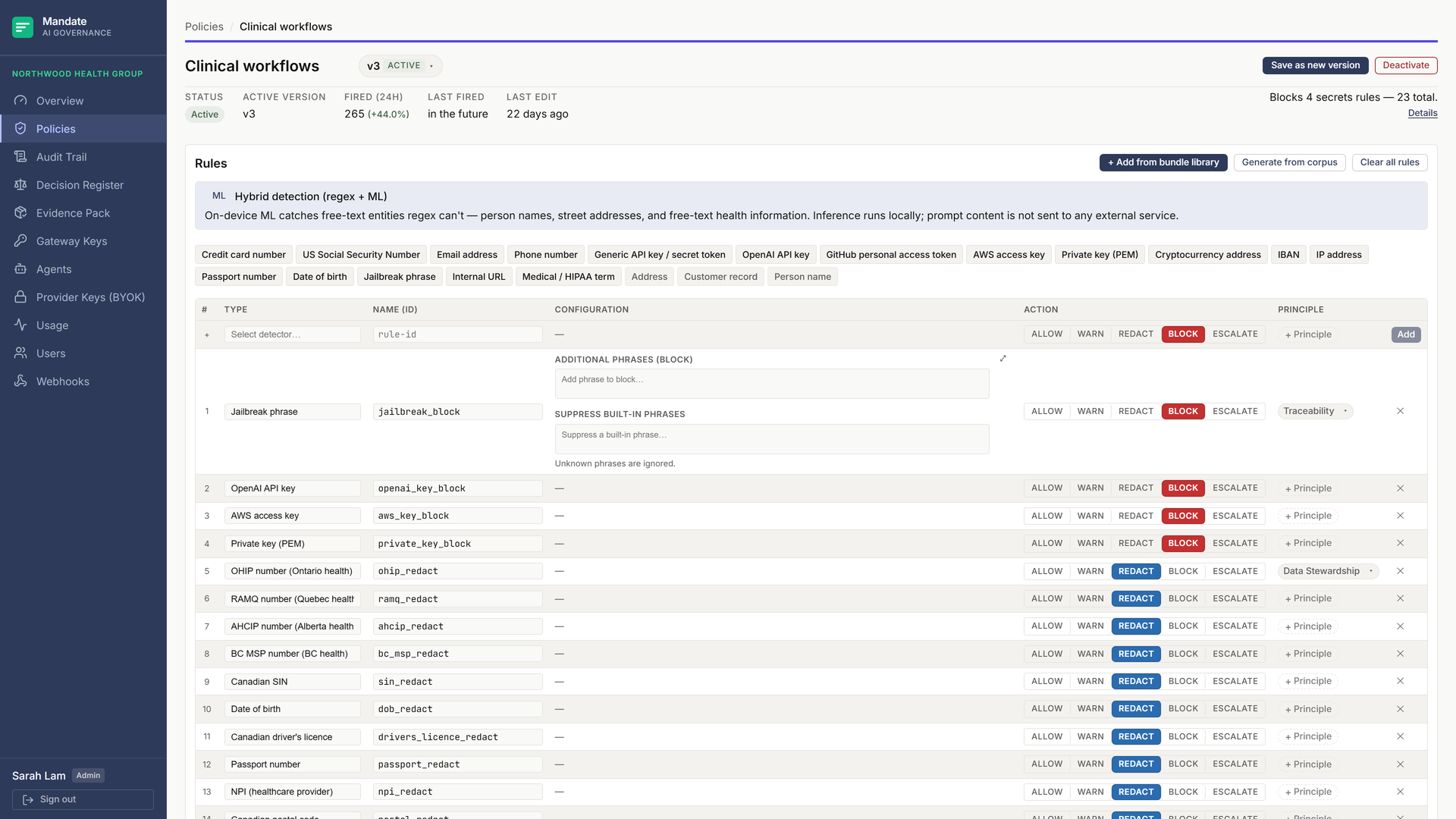
Visual rule builder
Typed detectors. Real defaults. No regex on day one.
Each rule is a typed detector with a typed config cell: chips for keywords, sliders for thresholds, checkboxes for card networks. Add a rule with a click, toggle its action with a button. YAML stays under the hood unless you want it.
-
Typed detector catalog
Checksum-validated identifiers (credit card, IBAN, SIN), cloud secrets across 22+ providers, PII, healthcare terminology and codes, network addresses, jailbreak phrases, and custom regex with live compile-check. Every detector is anchored to a primary source: vendor docs, ISO standards, government data dictionaries.
-
Typed configuration cells
A keyword detector renders a chip input; an entropy detector, a slider; a credit-card detector, network checkboxes. The regex escape hatch has a live compile-check.
-
Plain-English rule explainer
Every rule renders a one-sentence English summary a compliance reviewer can read: “Block any request containing a Canadian SIN matching a Luhn checksum,” not a YAML stanza.
-
Version history
Every save is a new immutable version. Preview, activate, or copy any past version from the header dropdown. Rollback is one click on yesterday’s row.
-
Governance principle tags
Tag a rule with the principle it serves: Traceability, Bias Mitigation, or Data Stewardship. Descriptive only, but carried into the audit trail, so an auditor can trace an enforced action back to its principle.
Industry bundles
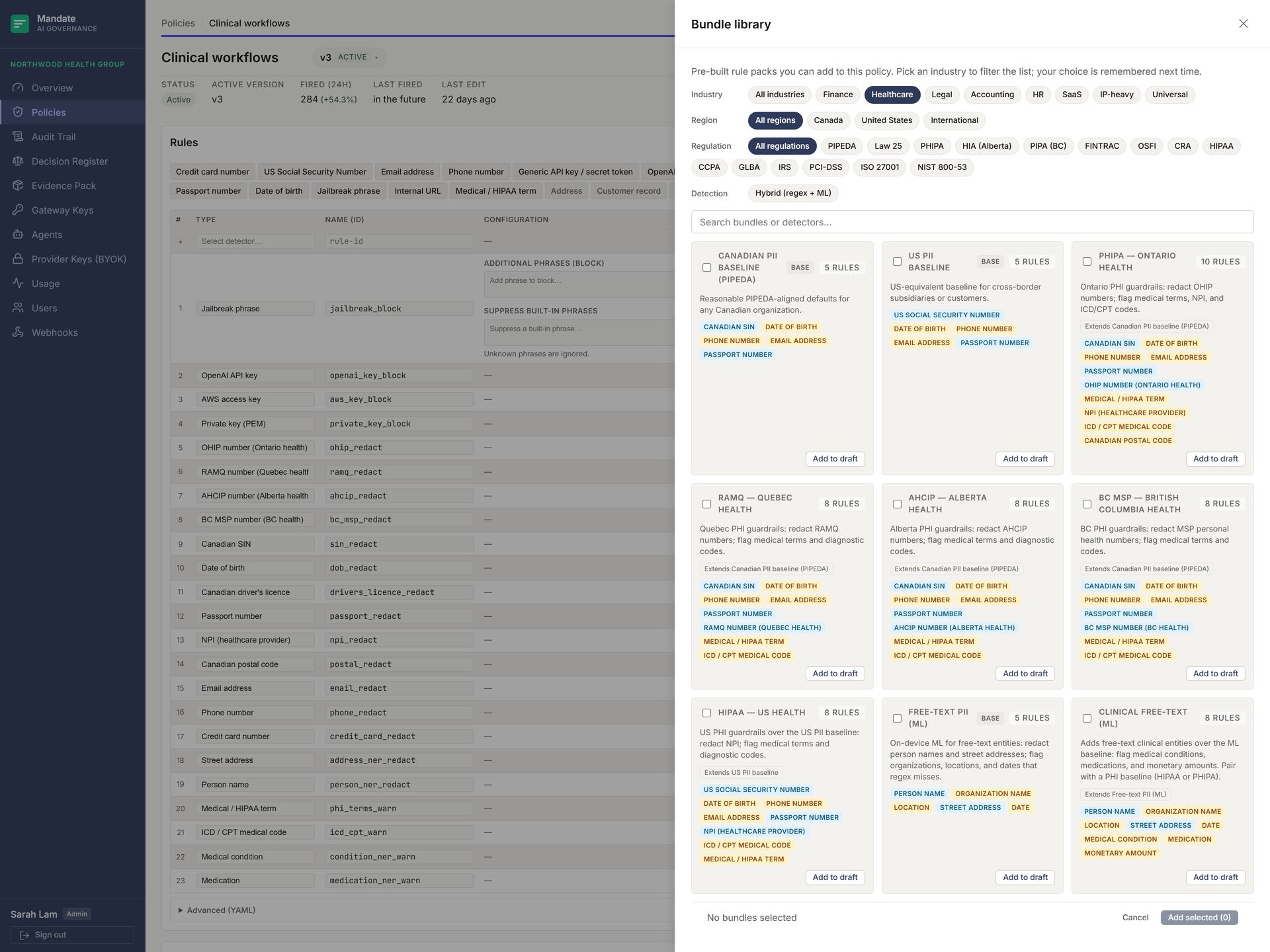
Pre-built rule sets for the regulations your industry already maps to.
46 bundles, merged into the draft in a click: Canadian and US PII, PCI-DSS, banking (OSFI), provincial health packs (PHIPA, RAMQ, AHCIP, BC MSP), solicitor–client privilege, client financials, HR, source-code exfiltration, secret tokens, jailbreak guard. Overlapping detectors merge at compile time; nothing applies twice.
Simulator
Three modes. Same policy. Verify before you ship.
Test a draft against a paste, a document, or a folder before it goes live. The simulator runs the same engine as the gateway: what you see is what real traffic gets.
Quick test
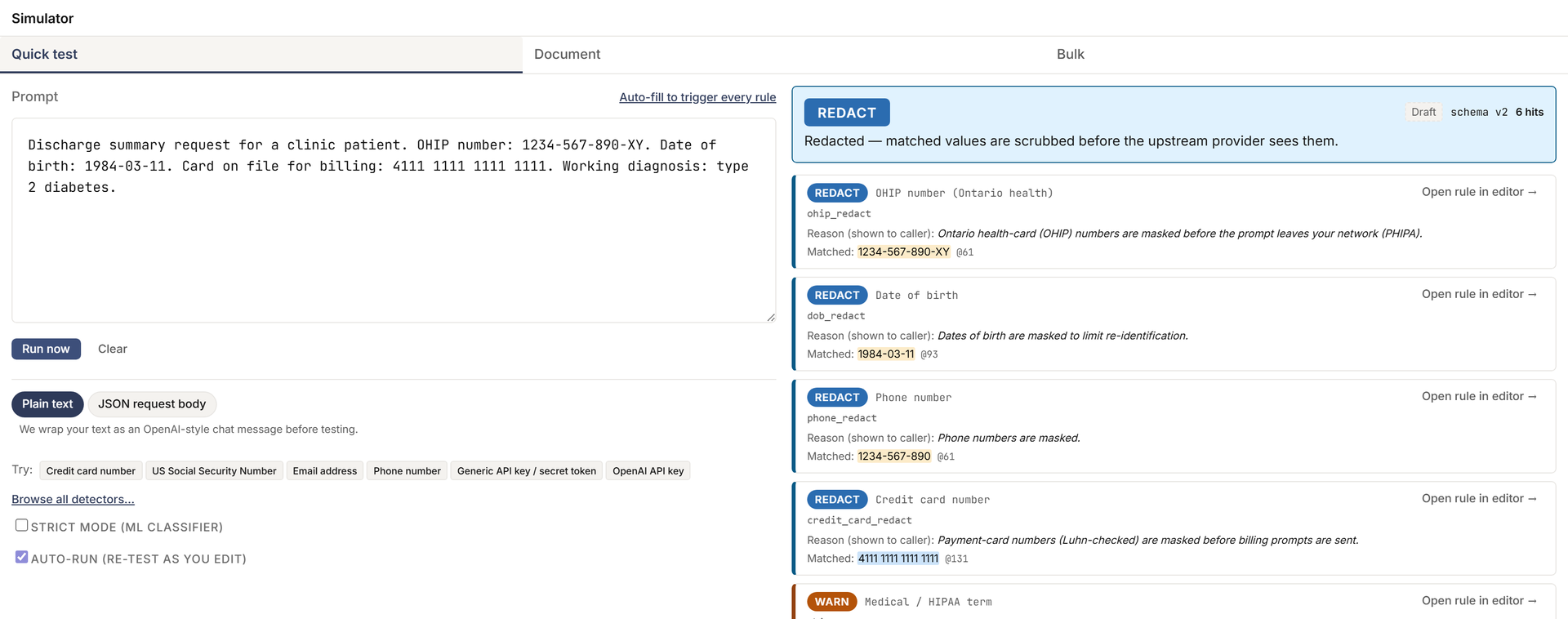
Paste a prompt. See the decision.
Paste a prompt, click Test. The result card shows the decision, the rule hits with offsets, and the diff if redaction fired. Preset pills seed a credit card, a SIN, a jailbreak attempt.
Document mode
Drop a long-form file. Get an annotated render.
PDF, DOCX, plaintext, Markdown, JSON, CSV. Every detector hit is highlighted inline beneath an aggregate worst-wins decision. The annotated render downloads as standalone HTML for legal review.
Bulk mode
Drop a folder. Get a per-file report.
Drag in a folder or zip. The summary table shows the decision and hit counts per file; any row opens that file’s annotated render, and the batch downloads as a zip. Zip-bomb limits enforced.
Policy synthesis
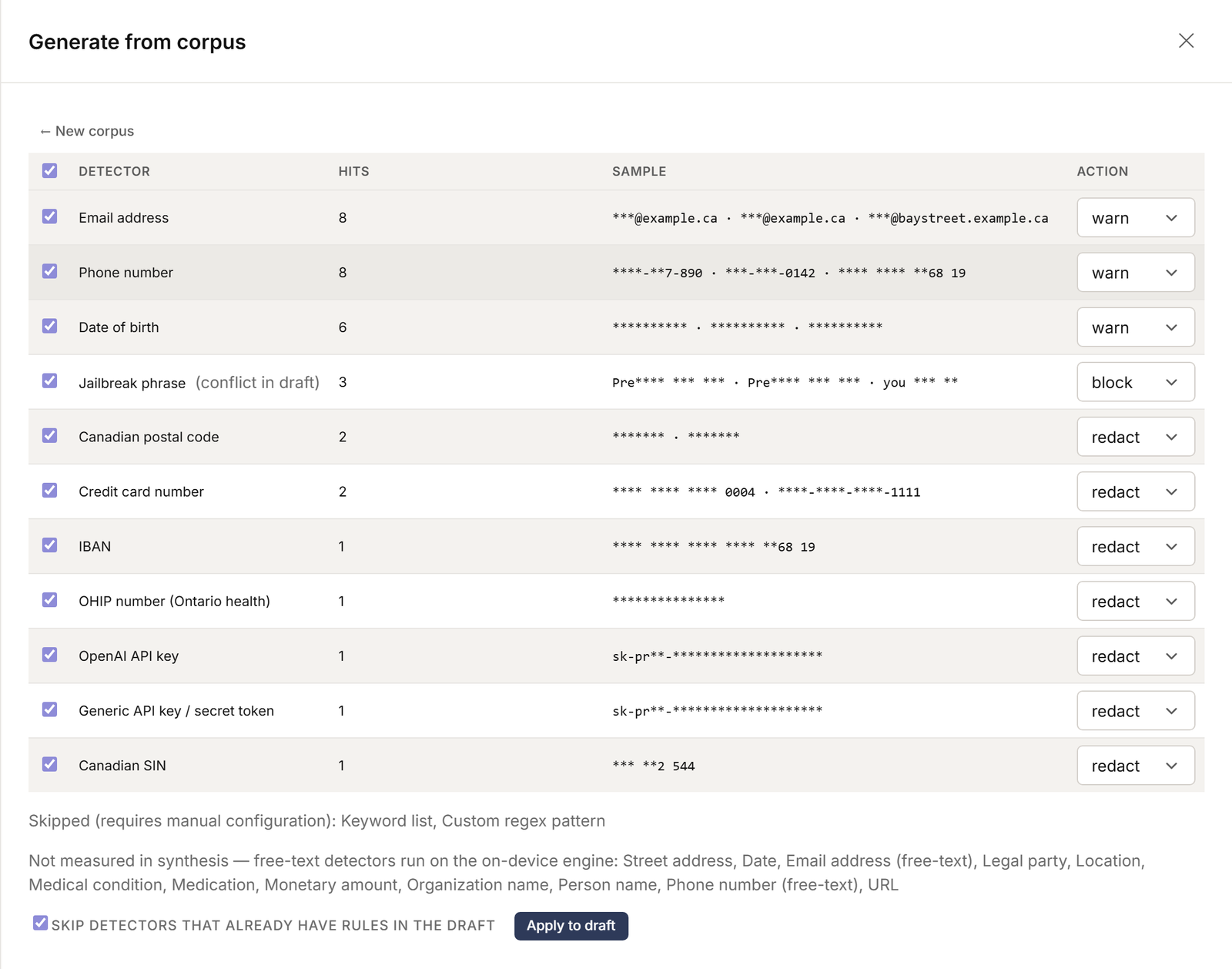
Generate a policy from your data.
Drop in a representative corpus. The synthesizer runs every catalog detector across it and proposes a draft policy with default actions per detected category. Toggle, Apply, done.
-
In-memory processing
Uploaded corpus bytes are processed in memory only. No filenames, no content, no content hashes are persisted. The audit row records the file count, total bytes, and the detector-hit histogram. Nothing else.
-
Per-category default actions
All "secrets" detectors default to block. PII identifiers default to redact. Advisory detectors (jailbreak phrases, dosage numbers, location names) default to warn. Operator reviews and tightens before activation.
-
Synthesized rules land as drafts
The synthesizer never activates a policy. The output is a new draft version that an operator reviews in the rule table, edits if needed, and activates with the standard one-click flow.